

Google has updated the Google Drive desktop app for Mac and Windows, adding a feature that offers faster file syncing. Thanks to the new update, only changes made to the file are now uploaded, which significantly reduces the synchronization time of large files.
Google states that this feature, which is especially valid for large files, is frequently requested from users and will significantly speed up synchronization times. The update is planned to be gradually rolled out to all Google Drive users.
Last month, another innovation was introduced to the Drive web version that improved the user experience. Now users can start watching the videos they upload before they are fully processed. This eliminates the wait time between loading and playing, making the video watching experience smoother. However, the videos continue to be fully processed and played in their original quality.
“Gemini” added to Google Drive interface
This week, the “Gemini” feature was also added to Google Drive’s improved previewer interface for PDF files. This innovation allows users to quickly switch between multiple files and facilitates content summarization and conversion via the side panel. To use the feature, simply click on the Gemini icon in the upper right corner of the screen.
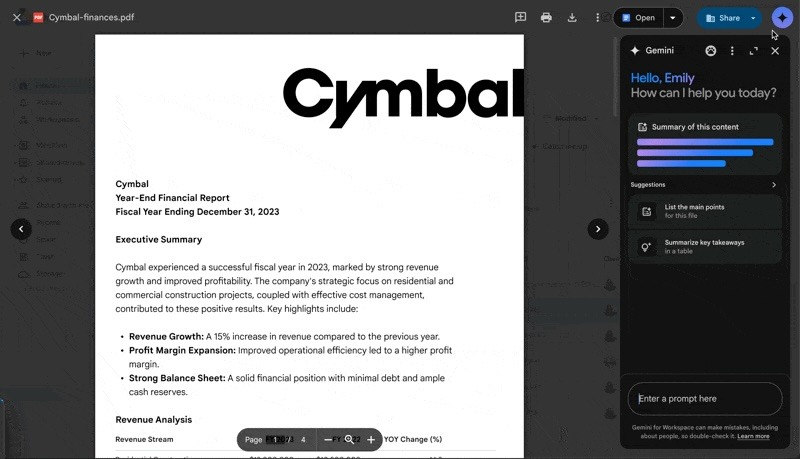
Gemini was introduced in July to fully open PDF files. However, with the new update, files will open directly in the previewer as default behavior. However, users who prefer PDF files to open in a new tab will be able to change this default behavior from Drive settings.
Gemini feature is active for select Google Drive subscriptions:
- Gemini Business
- Gemini Enterprise
- Gemini Education
- Gemini Education Premium
- Google One AI Premium