

As we enter the school period, we see a campaign covering the MacBook Air M4 family on Hepsiburada. Within the campaign A total of seven different configurations with 13 and 15 -inch screens are listed together, while 9 installments for cash price and “tomorrow at the door” are also available. Moreover for Macbooks 2,000 TL coupon for students with more discounts.
All of the products within the campaign belong to the new MacBook Air generation of Apple’s M4 processor. Default memory and storage capacity 16 GB RAM and 256 GB SSD seems to. For 13 inch 2560 × 1664For 15 inches 2880 × 1864 There are resolution options. There is a table divided into two main clusters on the price side. 13 inch MacBook Air M4 list price for 43.399 TL while 41,999 TL with 3 %discount The sale price is obtained. 15 inch MacBook Air M4 On the façade, three color options 51.999 TL listed with tag.
While there is little time for the opening of ready -made schools, we offer a guide to help those who intend to buy a MacBook Air to help classes and projects at school.
How to choose the right MacBook Air M4 for students?
The main promise of the MacBook Air series offers a balanced ground between portability and daily/semi -professional workloads for university and high school students. The transition to the M4 generation maintains the thick, slightly -scattered line of the previous generation Air models. However, a more efficient processor offers an experience with improved thermal design and the latest versions of MacOS. However, you should not choose the right model by just looking at the processor generation. You should also include the screen size, storage area, budget and personal usage scenario into the equation.
13 inch or 15 inches?
At a pace where the campus circulation between the course is intense and the weight in the bag is felt every day. 13 inch The option is more practical. Since it is more compact in size, it is easier to work on library tables, classrooms or public transport. Nevertheless, code writing, text editing, table and presentation, preparation, basic photo editing, such as the need to meet the performance requirement. On the other hand 15 inch The screen relieves to work in multiple windows at the same time, to deal with timelines or block schemes, or to read long PDF documents. Visual design offers a more spacious image area in areas such as video timeline editing. However, bag volume and desktop area requirement is increasing.
Budget – clarifying the equilibrium balance
Considering the prices on the campaign page, the transition to 15 -inch configurations is compared to 13 inches. about 10,000 TL It means the difference. Therefore, it is a 13 -inch, balanced starting point for students who may make more sense to shift the budget to the storage/accessory side instead of screen width. Nevertheless, if there is a constant study on the Figma/Sketch, writing homework with multiple document appearance, or progressing with two windows side by side in engineering applications, it may repay the 15 -inch difference in a way that draws attention in daily flow. However, 13 inches will remain sufficient for students who prepare a presentation or progress mainly.
Memory and storage approach
All models in the campaign 16 GB RAM and 256 GB SSD comes with. This configuration; Course notes, Office/Google Workspace applications, e-mail, scanner tabs, course videos and basic media editing works with a secure buffer. Nevertheless, 256 GB storage can be narrow when it comes to wide raw visual archive, XCode/Android Studio projects, vehicles such as Blender/Unity, or data science assignments that use a large number of libraries. In such cases, two alternatives stand out: Managing files with cloud storage services; Or use high-speed external SSD over the USB-C. If you are looking for local storage convenience in large projects, you should check if there are 512 GB options within the campaign. If only 256 GB is offered, it is more rational to add external storage to the budget.
Connections and In -Lessment Use
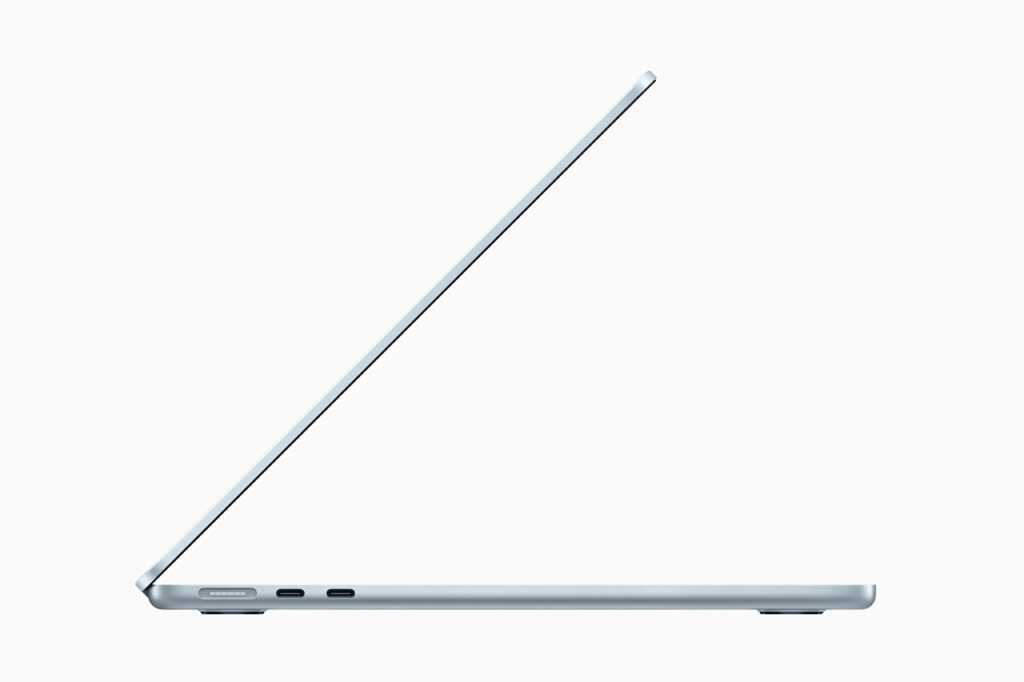
Let’s remind you that the HDMI option is not available in M4 MacBook Air. This means that a USB-C-HDMI converter will be needed when presenting the projection. It is useful to have a transducer in the bag in terms of the smooth progress of the presentation in university amphitheater or club activities. However, a built -in 1080p camera and microphone sequence provides adequate video interview experience in online course or group work meetings; When used with the headphone/microphone, noisy environments are more managed.
Battery and portability
The general character of the Air family is shaped with a usage time that does not require continuous transportation of the charger and is shaped with a light safe. For students who are shuttles between the Course -Book – Laboratory all day long, this line facilitates the use of the device in order to take notes in the courses and to deliver projects at the end of the course. Nevertheless, feeding the processor/graphics unit such as video coding or long -lasting model training is healthier in terms of performance continuity to feed the socket in high -load tasks.
Color options and personalization
M4 MacBook Air Color Options Midnight, sky blue, silver and star light available. In frequently transported devices, the scratch/trace holding behavior of the surface should also be considered when deciding. This concern can be reduced with case and Sleeve preferences. However, the keyboard/pediment color can affect perception in light conditions in the course environment; In long spelling sessions, contrast preferences determine individual comfort.
Which MacBook Air M4 to the student profile?
1) Social Sciences, Education, Communication
Text -weighted production, presentation, research in the browser and basic visual arrangement in the sections where jobs are intense 13 inch / 41.999 TL Configuration gives a sufficient response. If the requirement of the screen area increases, you can expand the area in extra -course studies with external monitor. This preference will maintain portability while keeping the budget low.
2) Business, Economics, Law
13 -inch is a rational start in the transition between multi -tabs and documents. However, if it is necessary to see two simultaneous documents side by side 15 inch / 51.999 TL The option provides a more fluent flow. However, if the mobility of the campus is high, the increase in size makes daily transport a little more laborious.
3) Architecture, Design, Media Production
In projects that require layered visual work, arrangement or wide canvas on timeline 15 inch The display significantly accelerates business steps. Nevertheless, the need for storage grows faster in these areas; It would be appropriate to support 256 GB with external SSD and cloud.
4) Computer Science, Engineering:
The RAM is 16 GB in the compilation -test cycles and in environments where numerous addiction is installed. Using the terminal, IDE and the browser together progresses easily. However, the size of data clusters can quickly fill the storage; External SSD proposal is valid. Since the requirement of the screen area will vary according to the project, 13 inches are preferred and completing the laboratory/at home with an external monitor is a practical way to obtain a large space without renunciation of portability.
CONCLUSION: “MOST REASON STUDENT SELECTION”
When the general user profile, budget and portability are evaluated together 13 inch / 41.999 TL Configuration is a accurate starting point for most students. Price – in Performances balance about 10,000 TL Instead of dividing the difference into the screen area, investing in peripherals such as external SSD, protective case and required adapter provides a more balanced installation. Despite this, if it is intensity in the course flow with multi -window working and visual production intensity 15 inch / 51.999 TL The effect of preference on daily efficiency is more pronounced.
TO INFORM
Teknoblog has sales partnerships. They do not affect the editorial content, but Teknoblog can win commission for products purchased through sales partnership connections.